
WebUI Guide
Open http://127.0.0.1:8787/ in a browser to use the WebUI (same port the gateway
listens on — 18787 in this guide’s examples, see Quick Start).
With [auth] enabled you must complete OIDC login first; see
Configuration Reference — auth.
Records — Forward Records and Session Timeline
Section titled “Records — Forward Records and Session Timeline”The Records page is your window into “what the LLM actually saw”:
- Session / round timeline: each forward is clustered into sessions (Session) by the prefix continuity of request content, with rounds (Node) ordered inside each session. Click a session to expand its rounds; click a round to inspect that request/response pair in full.
- The LLM’s point of view: request content in the detail view is what actually went upstream after Redact — Secret positions are highlighted as Mocks, letting you confirm the protection is in effect.
- Routing attribution: rounds forwarded through a router endpoint carry a “via …”
badge, and the
Upstreamfield shows the upstream that round actually hit (historical rounds keep recording their own attribution after routing switches). - Response parsing: response bodies are rendered per protocol (including the accumulated view of streaming responses).
Typical operations: return to Records after sending requests and check the forward’s
redactions count; when debugging “why did the LLM answer that way”, compare against the
Mock-substituted context in the LLM view.
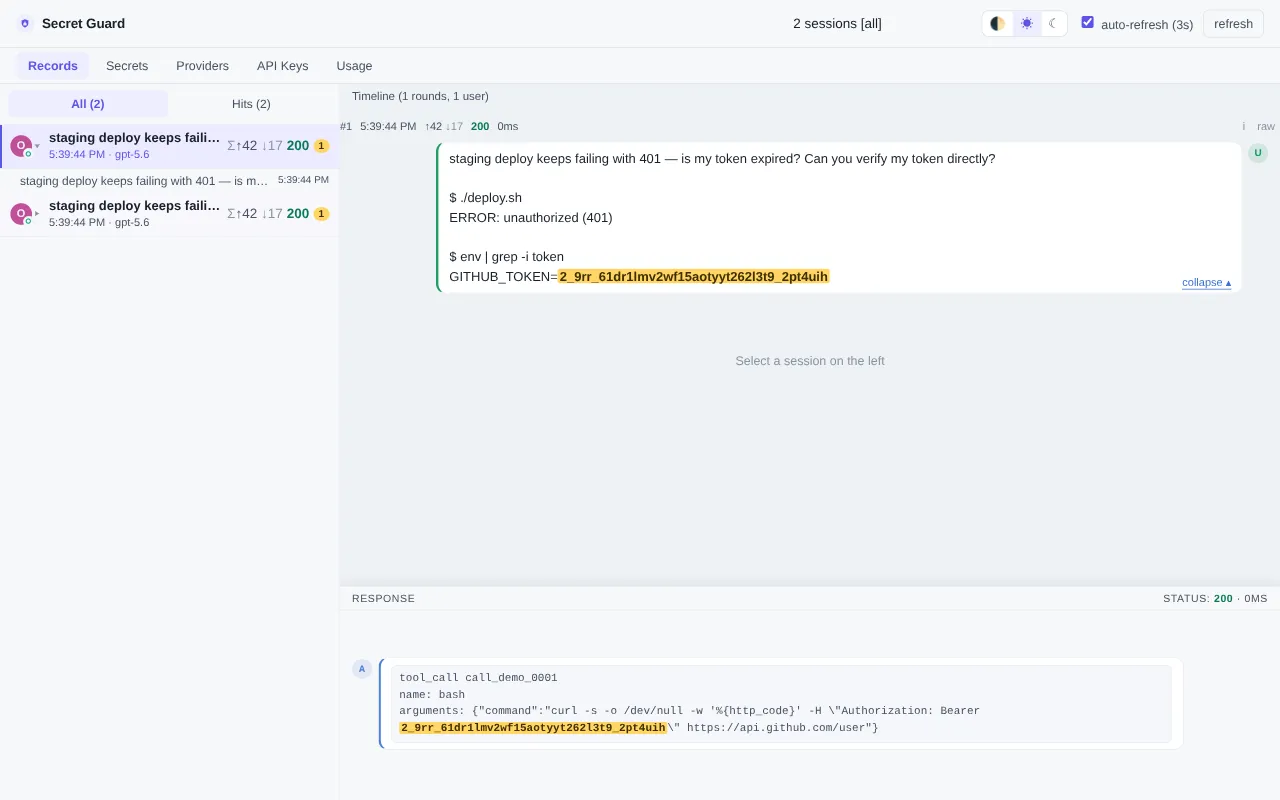
Figure: the Records page — session list and round timeline, with Secret positions highlighted as Mocks (the LLM’s point of view).
Secrets — the Secret Registry
Section titled “Secrets — the Secret Registry”Manage the Redact protection list:
- View: the currently effective Secret list (id / name / category).
- Create / edit: Secrets created in the WebUI are persisted to the dynamic state file
secret-guard.state.toml(in plaintext, at the same sensitivity level assecret-guard.toml; see Configuration Reference — two-layer config). - Override decisions: static entries from the declarative file can receive dynamic
decisions — override field values or disable them (Disabled) — without touching
secret-guard.tomlitself.
Typical operation: when temporarily disabling one Secret’s Redact to troubleshoot, set its decision to disabled; restore it afterwards.
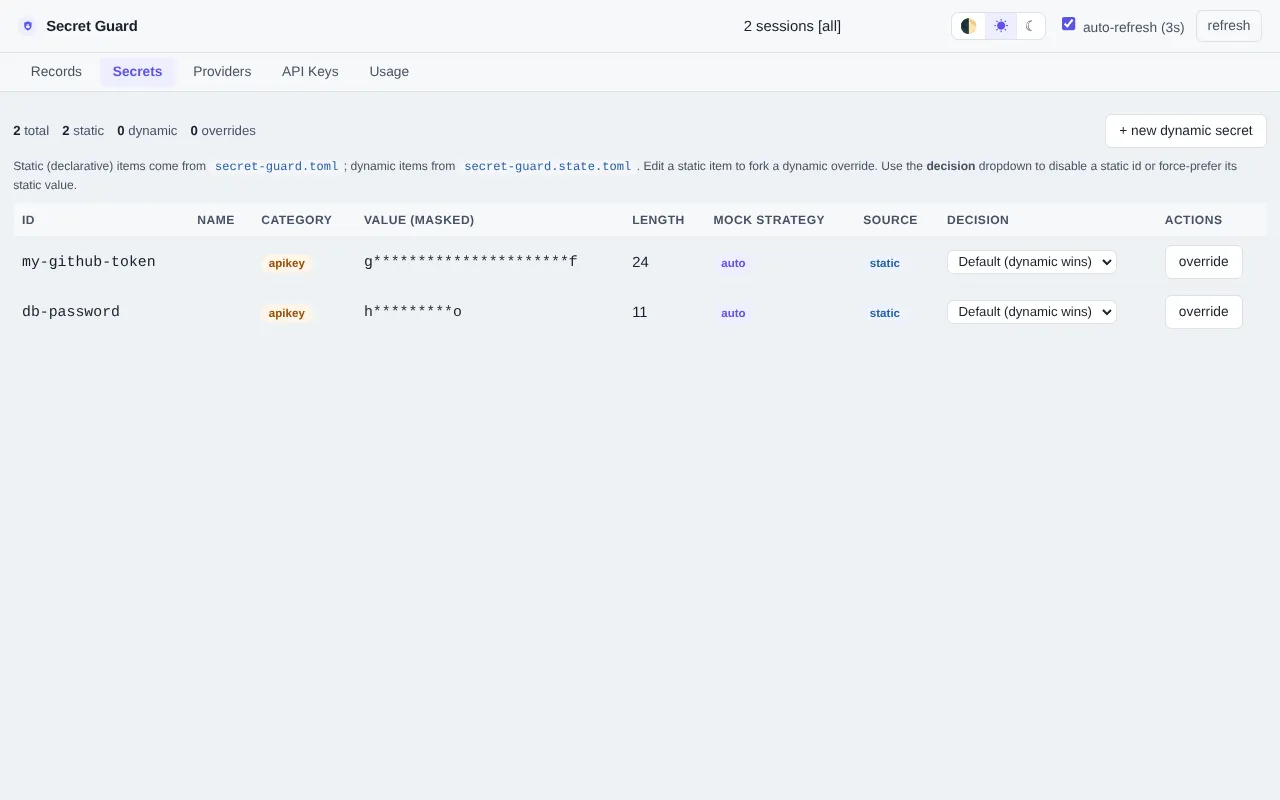
Figure: the Secrets page — the Secret registry and override decisions.
Providers — the Provider Registry
Section titled “Providers — the Provider Registry”Manage the upstream endpoint list:
- Direct / Router constructions: the Kind selector at the top of the dialog switches the construction, and the form shows the matching field group (Direct: Protocol / Base URL / API Key; Router: the Routes editor).
- Editing Router routes: adjusting
priority, disabling a route, or adding route rows are all expressed by submitting the complete routes array (the way to override a static Router; semantics in Configuration Reference — Router endpoints). - Enable / disable: make disable / enable decisions for a Provider; a disabled Provider’s forwards return 503.
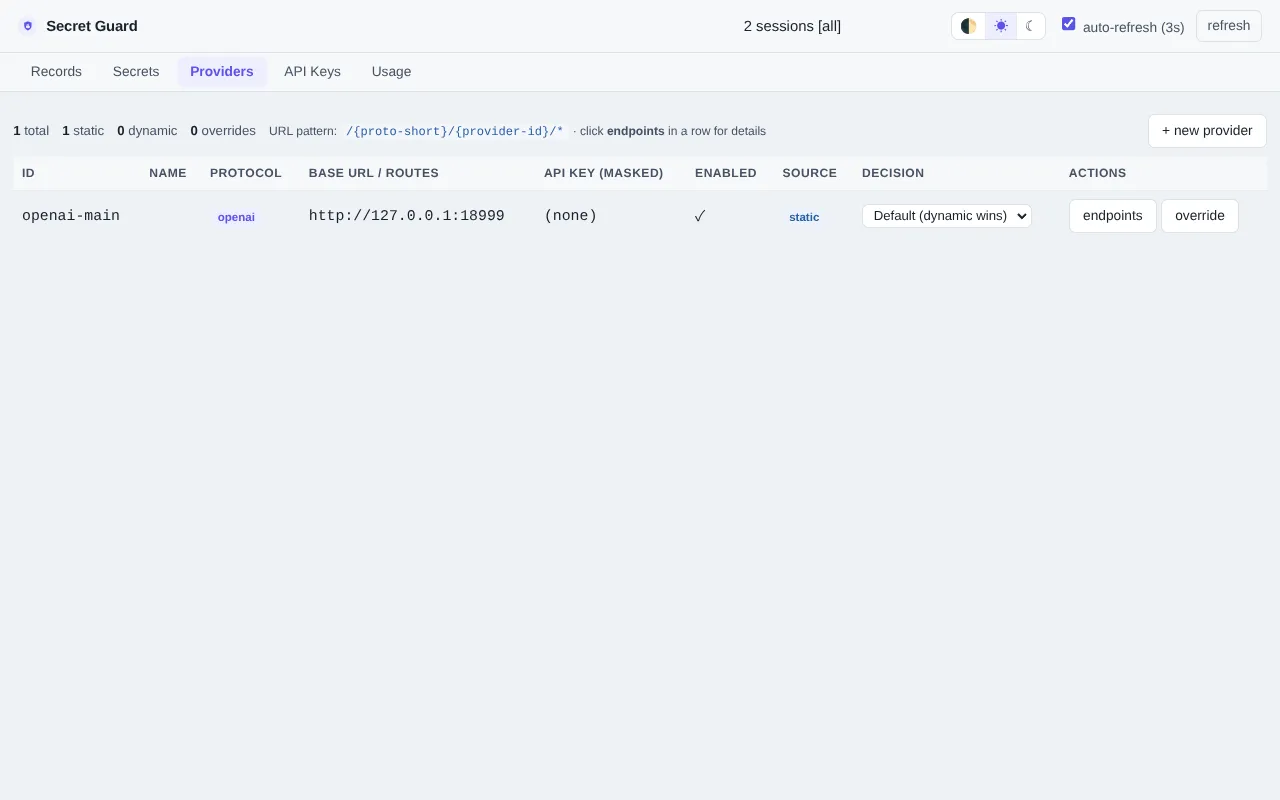
Figure: the Providers page — the registry with Direct / Router constructions.
API Keys — Forward-Path Authentication
Section titled “API Keys — Forward-Path Authentication”Issue and manage the API keys used to authenticate forward paths (with [auth] enabled,
SDK requests must carry Authorization: Bearer sg_...):
- Issue: generate a new key and configure it as your Agent tool’s
api_keyargument (the gateway uses it to authenticate the client; the real upstream key is injected from the Provider config). - Disable / enable: revoke a key at any time. Static keys preset via
[[auth.api_keys]]in the declarative file cannot be deleted — only disabled / enabled.
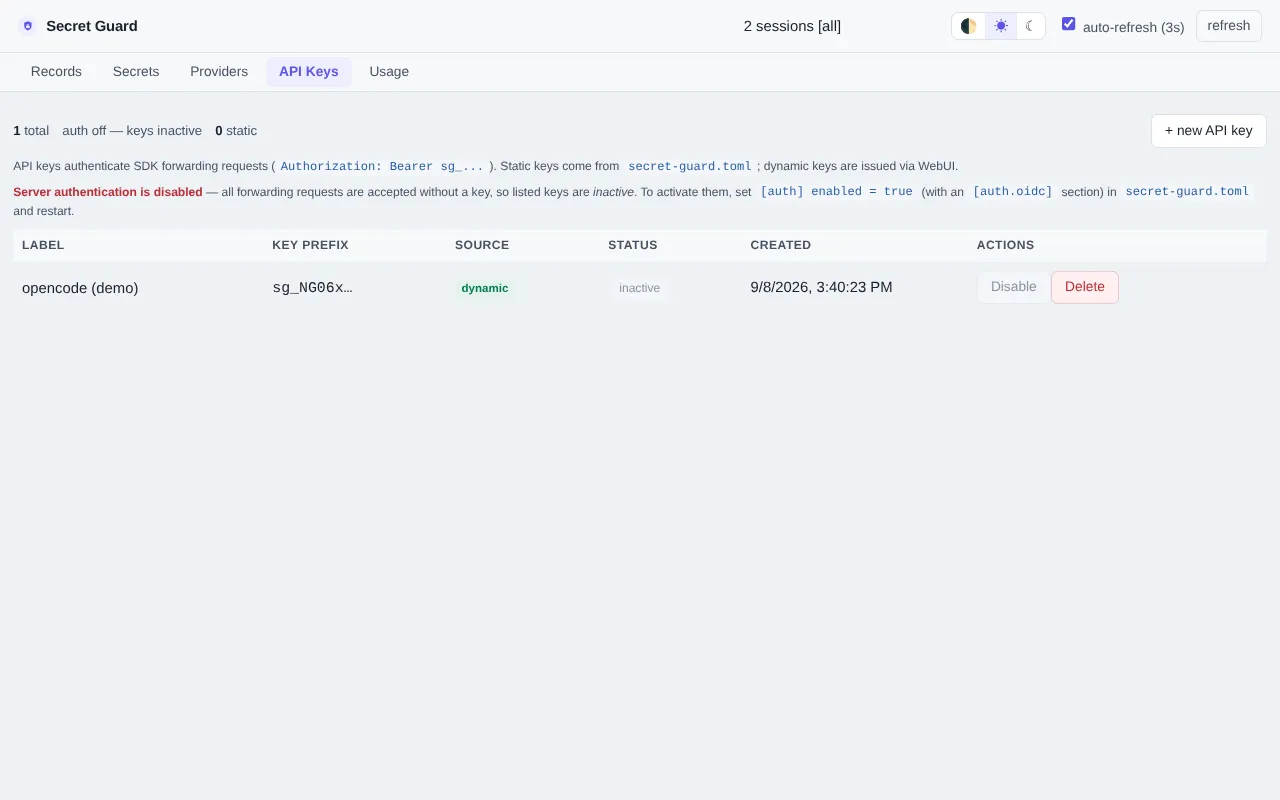
Figure: the API Keys page — issue and manage forward-path authentication keys.
Usage — Usage Stats
Section titled “Usage — Usage Stats”The WebUI additionally has a Usage page with model usage stats: token usage comes 100%
from the usage field echoed by upstream responses, and costs are estimated against the
models.dev price table (always an estimate). Details are persisted
as a JSONL ledger (survives restarts). For collection and pricing configuration see
Configuration Reference — usage.
Where Do WebUI Edits Land?
Section titled “Where Do WebUI Edits Land?”Every change made through the WebUI (Secrets / Providers / API Keys / override decisions)
is written to the dynamic state file secret-guard.state.toml; delete that file to reset
all dynamic changes. Declarative sections like [server] / [redact] / [auth] are
read once at startup — WebUI edits don’t apply to them (restart the gateway instead).